

Products
Three apps,
one engine.
The Qognity Suite
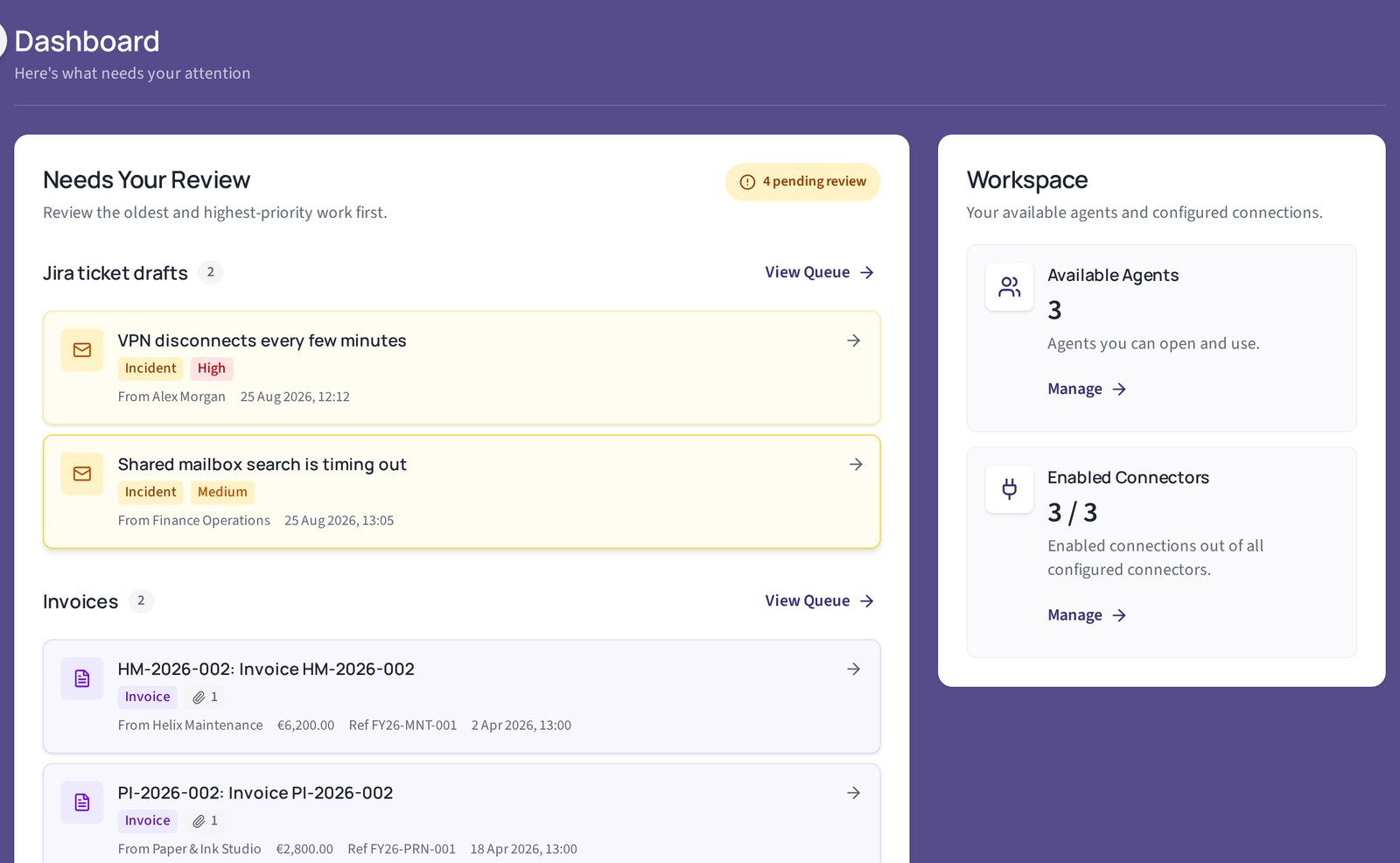
Sign in to a web portal, work with configurable agents, and run automated workflows that act on your own connected systems. Three apps run on one engine. You can subscribe to one app, or take the Suite with all three.
Release 2.0.x is in production, shipped as signed images with a software bill of materials.
The apps
Subscribe to one app, or take the Suite with all three. Your demo workspace is private to you and is deleted automatically after 60 minutes.
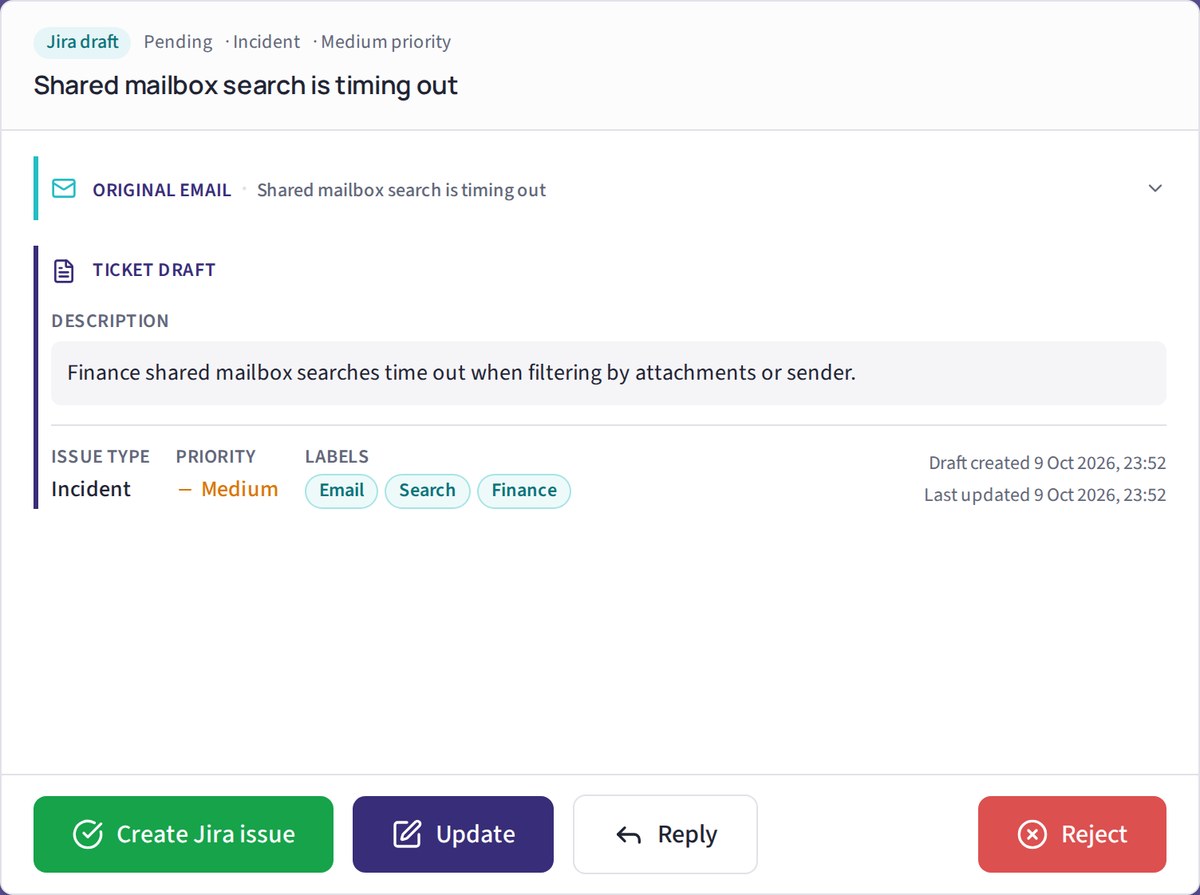
Qognity Tickets
Turn incoming emails into Jira ticket drafts. Review, edit and approve before creation.
For support and IT teams that receive requests by email and track them in Jira.
- Monitors a mailbox and extracts the request
- Drafts the issue for a user to edit, approve or reject
- Optional reply to the sender after the decision
Runs with a model, or deterministically with rules only.
Qognity Vendors
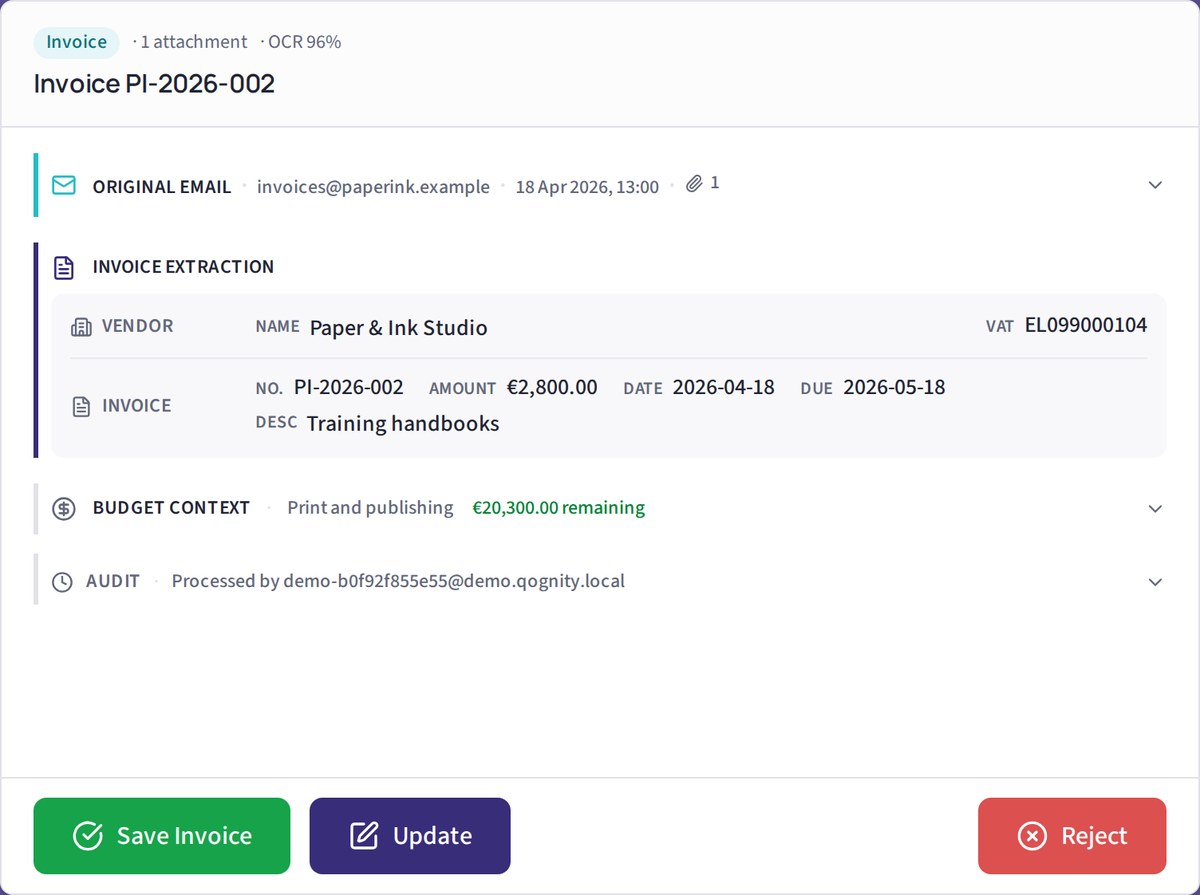
Extract invoice details from supplier emails and review them before saving.
For operations and finance teams with a shared mailbox and a document-heavy process, such as vendor and invoice intake.
- Classifies supplier email
- Reads invoices through OCR
- Promotes reviewed data into vendor, budget and invoice records
Runs with an AI model; there is no rules-only mode for Vendors yet.
Qognity Booking
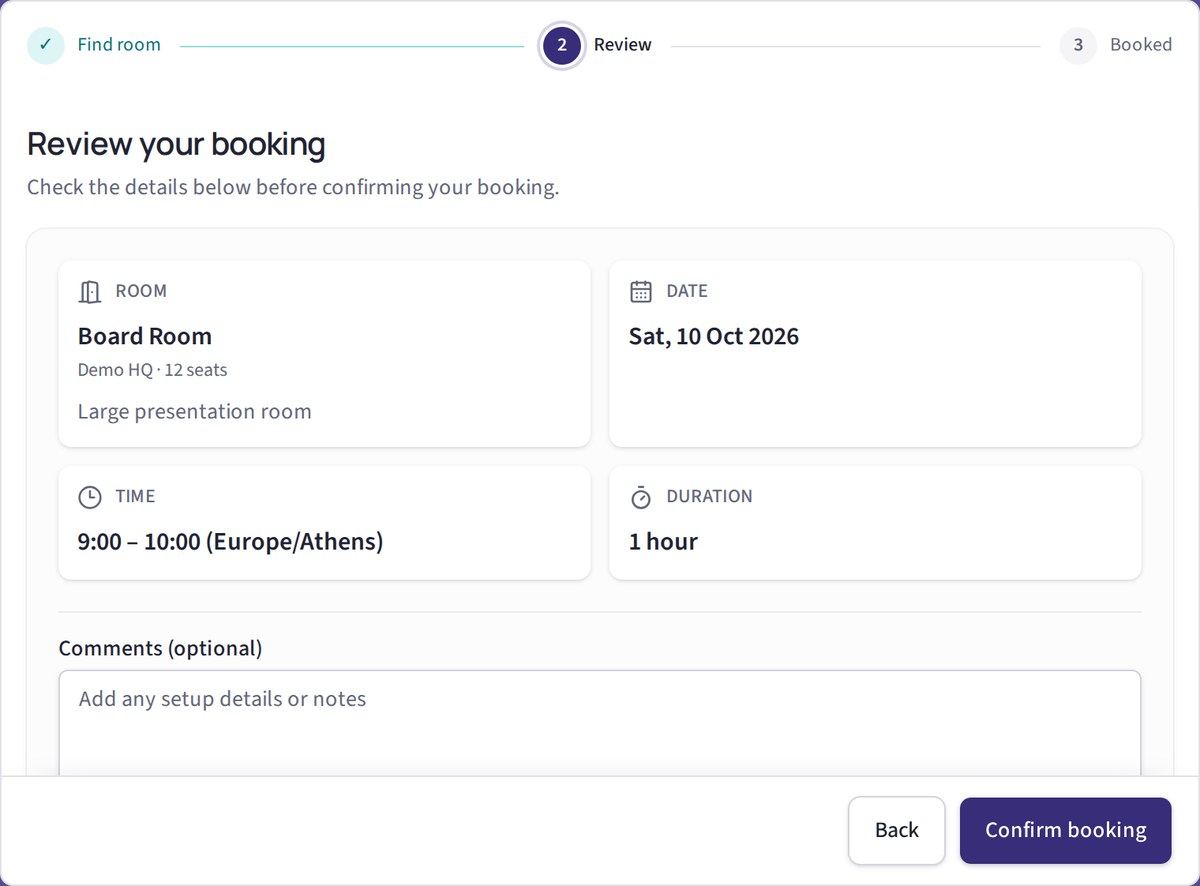
Check room availability, review the details and confirm your booking.
For facilities teams, incubators, campuses and co-working operators who book rooms and want usage insights.
- Availability, booking, changes and cancellation
- Overlaps prevented by the database
- Usage insights for administrators
Runs on rules only today, with no AI model.
How a run works
Every app follows the same path. One email in, one approved result out.
1
Inbound
A message arrives in a mailbox you connected. Email today, built to add further channels. Watching the mailbox is never metered.
2
Route
Rules first, a model if you enabled one, a person for whatever remains.
3
Draft
The app drafts a ticket, a vendor record or a booking.
4
Approval gate
Approve
A person or your approval policy approves; a person can edit or reject. Nothing has been written anywhere yet.
Rejected: nothing is written, and the decision is logged.
5
Write
The engine validates and commits to Jira, your ERP (Enterprise add-on) or your calendar.
6
Reply
The sender hears back, and every step is in the audit log.
The Qognity Engine
Every app runs on the same engine. It is never sold on its own, and it is the reason the apps are safe to use.
What depends on your plan
- Microsoft 365 and Google mail on every plan; Exchange and IMAP on Enterprise
- Jira Cloud on every plan; Jira Data Center on Enterprise
- ERP connectors and other channels: Enterprise add-ons
- Without an AI model: Tickets and Booking, in deterministic mode
- On-premises or air-gapped: Enterprise, with assisted installation
Architecture: inbound, routing, approval and delivery
Inbound. Watches connected Microsoft 365 and Google mailboxes, and Exchange or IMAP on Enterprise, using modern authentication. Watching is never metered.
Routing. Rules first, a model if you enabled one, a person for whatever remains. Model-based agents reason and use approved tools; rule-based agents involve no model.
Approval gate. A reviewer, the requester, or a policy you set decides before anything is committed.
Delivery. Validates the approved result and commits it to Jira, your ERP (Enterprise add-on) or your calendar, then replies to the sender.
Models
Model gateway. Any OpenAI-compatible model endpoint: the model we operate in the EU, your own account, or a model on your hardware.
Permissions, audit and metering
Entitlements. Each user sees and runs only what your organisation has licensed and enabled for them.
Audit log. Every run records its steps, outcomes and timing in an append-only log.
Metering. Counts runs and requests against your plan. You are notified at 80% and nothing extra is charged unless your admin confirms.
Installation
On-premises bundle. The same engine on your own servers, or air-gapped, on Enterprise, with assisted installation.
Built for organisations that get audited
The engine is designed so that a security team can read what it did, where the data went and who approved it.
Runs where your data must stay
Hosted in the EU by default. On-premises or air-gapped on Enterprise, with assisted installation.
Isolation enforced in the database
Row-level security that fails closed. A request with no tenant context sees no data.
Encrypted credentials
Connector secrets are encrypted with AES-256-GCM and bound to their organisation and connector.
A supply chain you can inspect
Release images are published with provenance and a software bill of materials.
No lock-in
You own your data, your configuration and your run records. A governance-first vendor should be easy to leave.
Honest about certification
No ISO 27001 or SOC 2 yet. We share our practices and welcome your review.
See it for yourself
Explore with sample data. Your private demo workspace is deleted after 60 minutes.